
































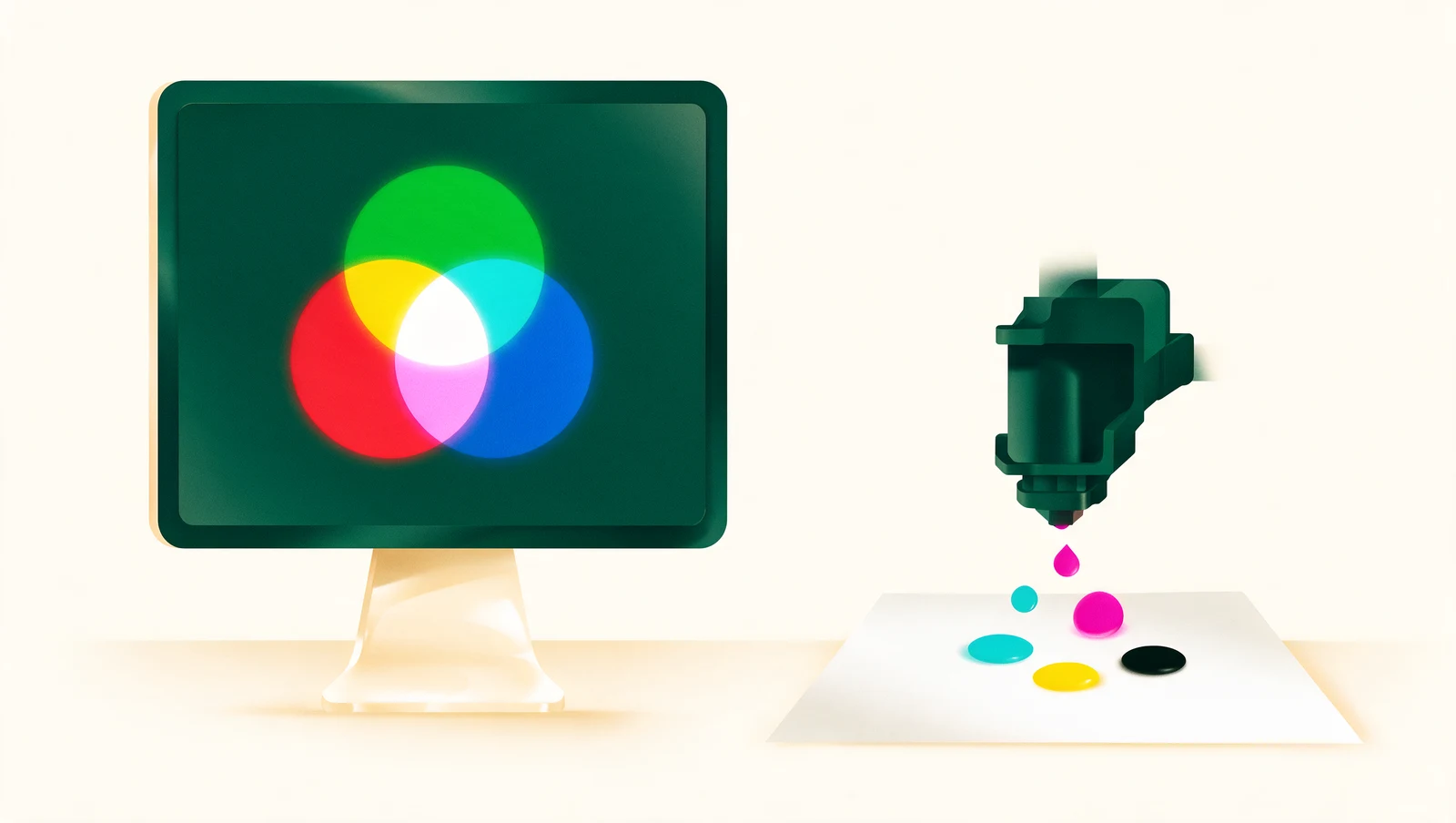
Use CMYK for anything that will be printed and RGB for anything that stays on a screen. Signboards, banners, stickers, posters and buntings are all CMYK ink on material, so a file designed in RGB will print more muted than it looks on your monitor — especially bright greens, electric blues, oranges and neon pinks. Set your design to CMYK from the start, or convert it before you upload, and you will not be surprised by the print.
RGB: colour made of light
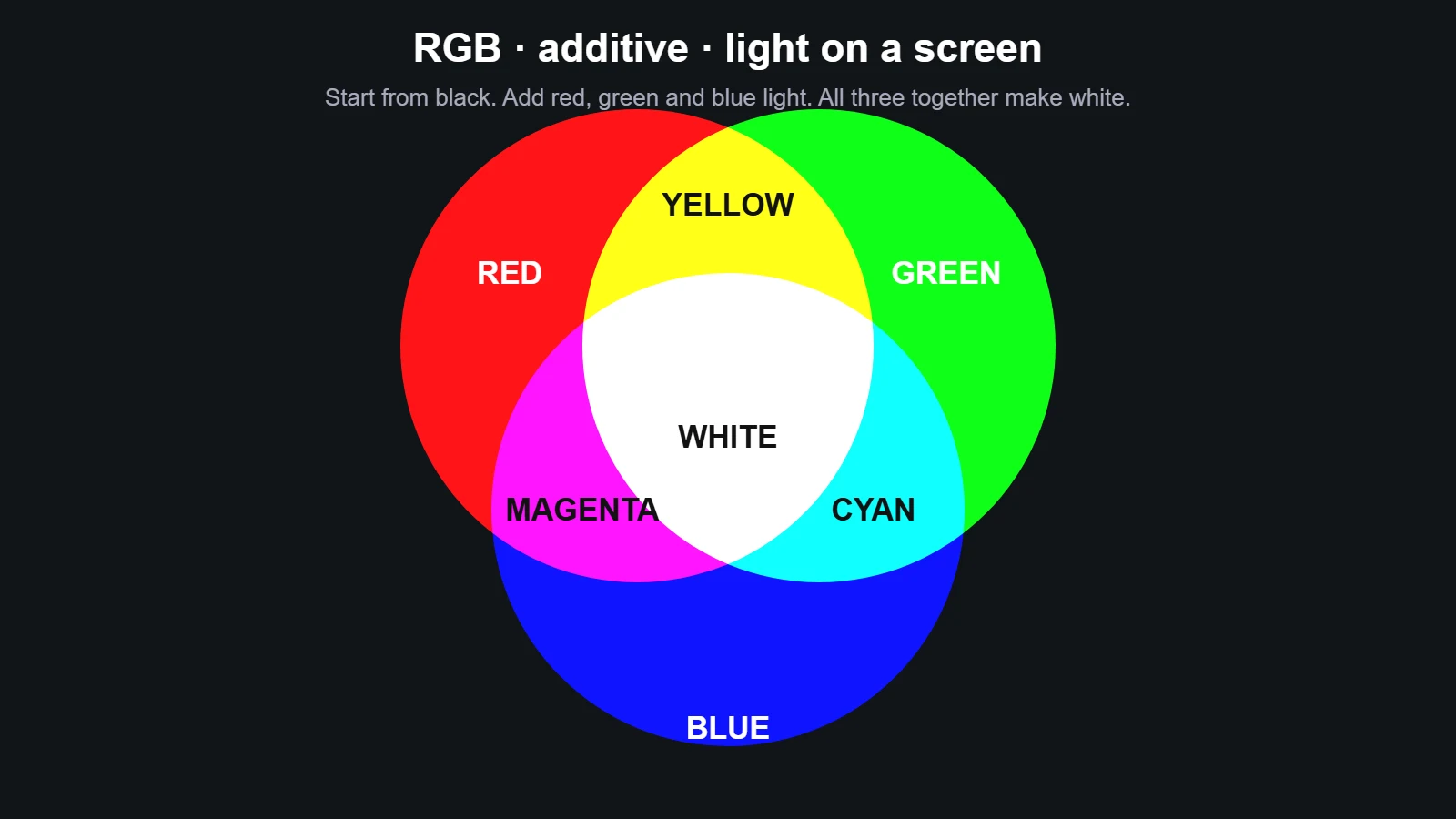
RGB stands for Red, Green, Blue — the three colours of light that phones, monitors, TVs and projectors mix to show every other colour. It is an additive system: the screen starts black, and adding light makes it brighter.
- Red light + green light = yellow
- Green light + blue light = cyan
- Blue light + red light = magenta
- All three at full strength = white
Because RGB works the way our eyes do (the retina has red-, green- and blue-sensitive cells), it can show a very wide range of colours, including glowing, saturated tones that no ink can match. RGB is the right choice for websites, social media artwork, LED displays and anything else that is looked at on a screen.
CMYK: colour made of ink
CMYK stands for Cyan, Magenta, Yellow and Key (black) — the four inks in every printer, from an office inkjet to the 3.2 m roll-to-roll UV machines we use for banners. It is a subtractive system: the material starts white, and each ink removes some of the light that would otherwise bounce back to your eye.
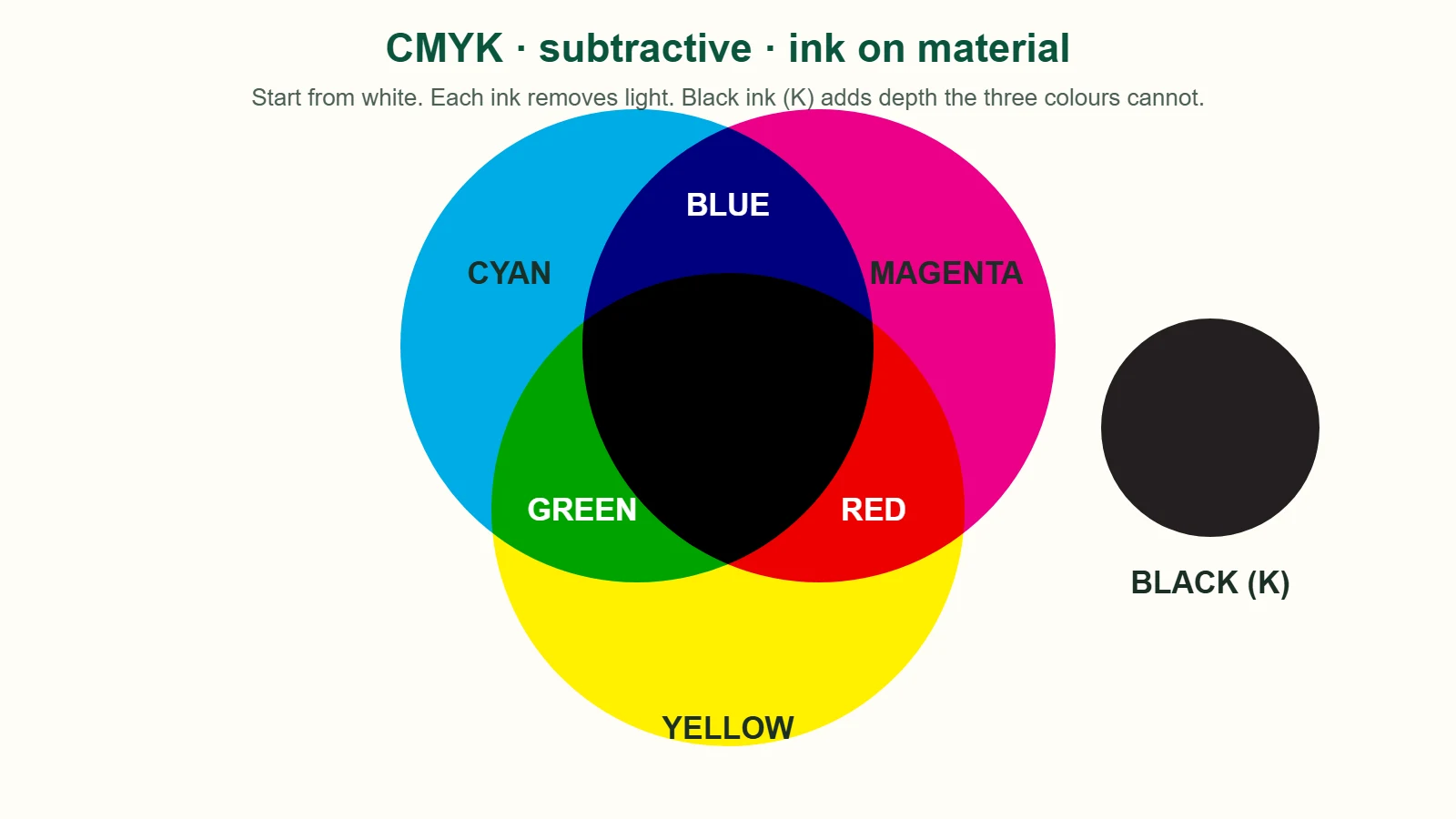
- Cyan ink absorbs red light and reflects green and blue
- Magenta ink absorbs green light and reflects red and blue
- Yellow ink absorbs blue light and reflects red and green
- Cyan + magenta + yellow should make black — in practice it makes a muddy dark brown, which is why a separate black (K) ink exists
Ink can only reflect the light that falls on it. It cannot glow. That single fact is the root of every "my print looks different from my screen" complaint — see why prints look different from the screen.
The gamut: what a screen can show vs what ink can print
A gamut is the range of colours a device can reproduce. RGB screens have a large gamut; CMYK ink on vinyl or board has a smaller one. Any colour outside the CMYK gamut — most "pure" and neon colours — cannot be printed; it can only be replaced by the closest printable colour, which is always duller.
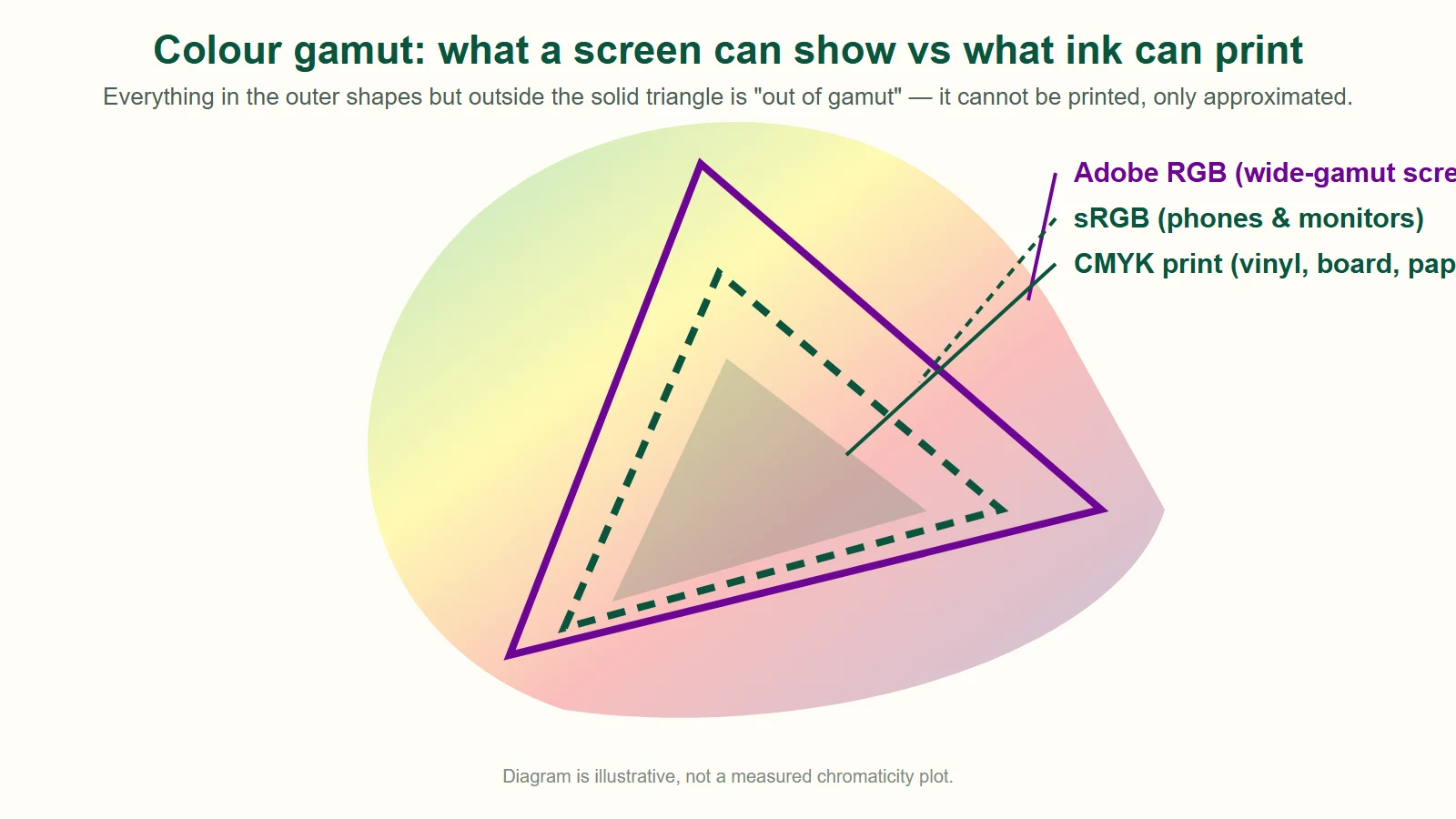
This is what that looks like on six common colours:
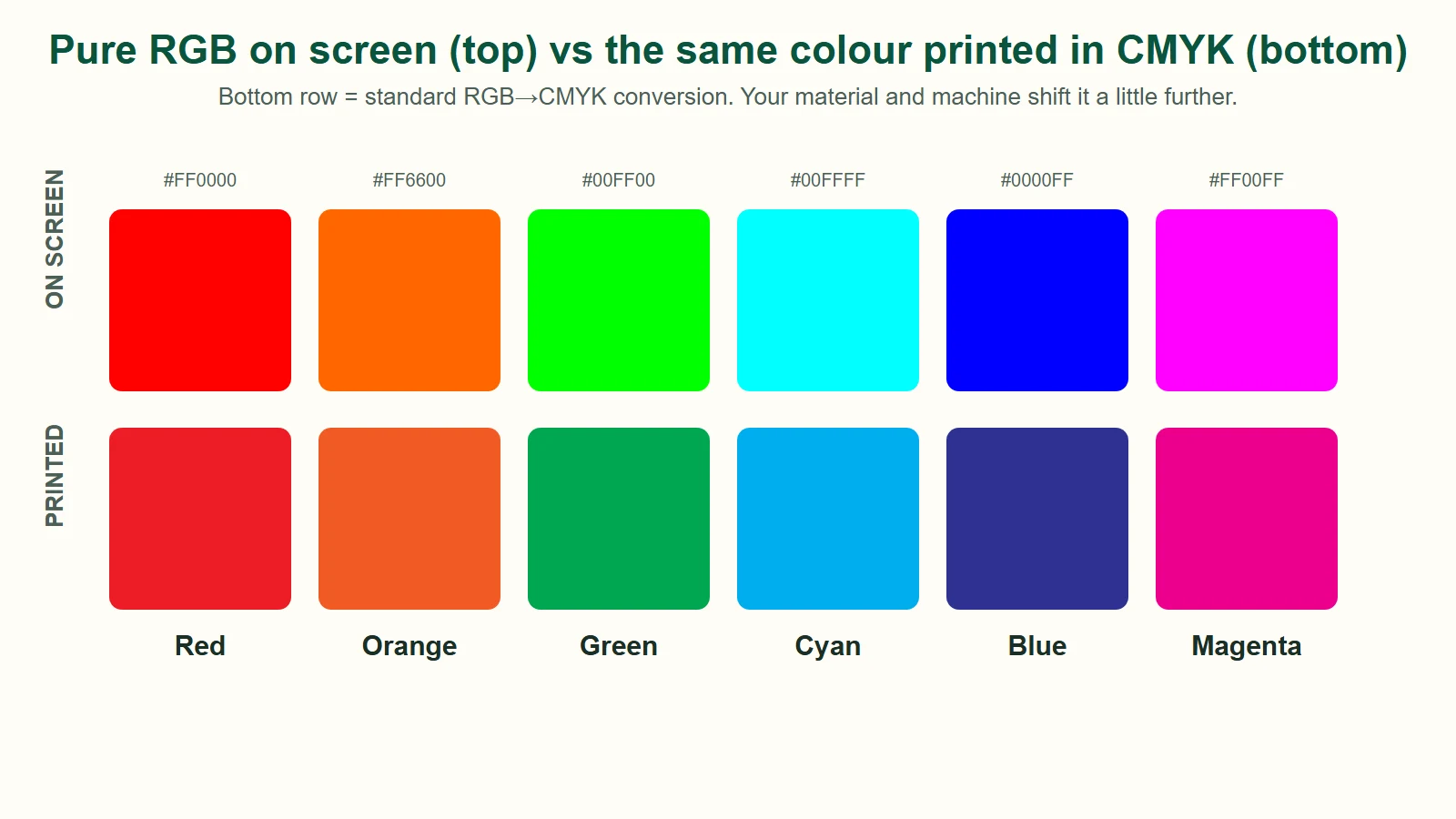
The shift is biggest for pure blue (goes violet), lime green (goes leafy), cyan (loses its glow) and magenta. Reds and oranges survive best. Try your own colour in the RGB to CMYK converter — it shows the values and an approximate print preview.
RGB vs CMYK at a glance

| RGB | CMYK | |
|---|---|---|
| Made of | Light | Ink |
| Type | Additive (starts black) | Subtractive (starts white) |
| Used for | Screens, web, social, LED | Signboards, banners, stickers, posters, packaging |
| Colour range | Wide, includes neon / glowing tones | Narrower, more muted on saturated colours |
| Black | Absence of light (0,0,0) | 100 K for text, rich black 60·40·40·100 for solids |
| Typical values | 0–255 per channel, or HEX #RRGGBB | 0–100 % per ink |
| File default | Canva, PowerPoint, phone apps, PNG/JPG | Illustrator / InDesign print documents, print-ready PDF |
How to convert RGB to CMYK
Illustrator: File → Document Color Mode → CMYK Color. Then select all and use Edit → Edit Colors → Convert to CMYK. Check any swatch that looks dull and re-pick it from a CMYK chart.
Photoshop: Image → Mode → CMYK Color. Turn on View → Proof Colors (Ctrl/Cmd + Y) before converting to preview the change; out-of-gamut colours show a warning triangle in the colour picker.
Canva: free Canva exports RGB only. Canva Pro can export a PDF Print with the "CMYK" colour profile option. If you are on free Canva, export a high-quality PDF and we will convert it — just expect saturated colours to shift.
CorelDRAW: set the document to CMYK under Tools → Color Management, and use CMYK palettes rather than the RGB palette when choosing fills.
Don't have design software? Upload your RGB file anyway. Our preflight tells you whether the file is RGB or CMYK at the upload step, a designer checks it, and we convert it before printing. The conversion is accurate; it just cannot invent colours that ink cannot make. If a colour matters, tell us the CMYK or Pantone value in the order notes, or tick colour-critical (RM50 per item) and our technician will match it to your sample and confirm with you before printing.
Working in both: a practical rule
Design the master file in CMYK if it is primarily for print (a shop sign, a banner, a sticker run). Design in RGB if it is primarily for screens, and keep a separate CMYK version for the printed pieces — with brand colours re-picked from a printed chart rather than auto-converted. Your brand blue on Instagram and your brand blue on the shopfront will never be identical, but choosing both deliberately keeps them recognisably the same.
FAQ
Should I use RGB or CMYK for printing?
CMYK. All printing — signboards, banners, stickers, posters, buntings — uses cyan, magenta, yellow and black ink, so a CMYK file shows you on screen roughly what the ink can do. RGB is for screens only; an RGB file will still print, but saturated colours come out more muted than they appear on your monitor.
What happens if I send an RGB file for printing?
The print shop's software converts it to CMYK automatically, and so do we. Most colours survive the conversion well. Very bright or neon colours are outside the CMYK range and are replaced by the closest printable colour, which is duller. Our upload preflight flags RGB files so you know before you pay.
Why does my blue print purple?
Screen blue (#0000FF) converts to 100·100·0·0 — equal cyan and magenta — which ink renders as violet. Reduce the magenta: 100·50·0·0 to 100·70·0·0 prints as a true blue. This is the single most common colour complaint in signboard printing.
Is HEX the same as RGB?
Yes. A HEX code such as #09543D is just the three RGB values (9, 84, 61) written in base 16. Paste a HEX code into our free RGB to CMYK converter to get the print values.
Can I print neon or fluorescent colours?
Not with standard CMYK ink — fluorescent tones are outside the printable gamut. For a genuinely neon result you need fluorescent vinyl or a special ink. We can print on coloured or fluorescent vinyl for stickers and small signs; ask us on WhatsApp before ordering.
Do you check my file's colour mode before printing?
Yes. When you upload artwork in our configurator the preflight reads whether the file is RGB, CMYK or mixed and shows a note. A designer then reviews every file before it goes to print, and if colour is critical you can choose the colour-matching service.